
Why Visitors Leave Professional Websites Without Enquiring
A prospect does not need to dislike your business to leave your website.
They may simply fail to understand:
- What you actually do
- Whether you serve businesses like theirs
- Why they should trust you
- What they should do next
- Whether anyone will respond if they enquire
That distinction matters.
Businesses often respond to weak website performance by changing colours, layouts, photography or the entire design.
Sometimes that is necessary.
But before rebuilding every page, inspect the journey a potential customer is already taking.
A website can look professional and still create uncertainty at the exact moments where confidence matters most.
Start With the Buyer, Not the Design
Open your homepage on a phone.
Do not explain the business first.
Instead, ask someone unfamiliar with your company to look at the first screen and answer three questions:
Who does this business serve?
What problem does it solve?
What should I do if I am interested?
If those answers are not reasonably clear, the website may have a communication problem before it has a design problem.
This simple test is especially useful because business owners and internal teams already know what the company does.
That knowledge can hide problems from them.
A new visitor does not have that advantage.
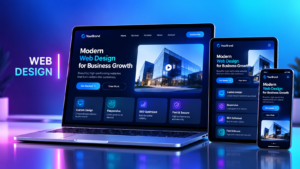
Make the First Screen Answer a Real Buyer Question
Website hero sections often use phrases such as:
“Welcome to our world of excellence.”
It sounds polished.
It also tells a potential customer remarkably little.
The first screen should help a visitor decide whether the business is relevant to them.
A stronger opening usually communicates three things:
The service.
The audience.
The relevant outcome or problem addressed.
For example:
“Commercial kitchen equipment supply and installation for hotels and restaurants.”
That immediately gives the visitor useful information.
It identifies the offer and the audience without requiring them to decode marketing language.
This is an illustrative example, not a TechBots client claim.
Give the Visitor One Clear Next Step
Once somebody understands the offer, what should they do?
A common mistake is presenting several equally prominent actions:
Book a call.
Contact us.
Learn more.
Chat now.
Download brochure.
Get started.
Technically, that creates choice.
Practically, it can create hesitation.
The primary call to action should match the buyer’s likely decision.
Depending on the business, that might be:
- Request a quotation
- Discuss a requirement
- Check availability
- Book an assessment
- Ask a technical question
- Request a product demonstration
The exact wording matters less than the clarity.
A visitor should know what happens when they click.
Trust Is More Than a Logo Wall
Many company websites try to establish credibility by displaying customer or partner logos.
That can help.
But a logo alone does not explain what your company actually delivered.
Where appropriate permissions exist, stronger evidence can show:
- The project or engagement
- Your role
- The problem addressed
- The deliverables
- The relevant industry
- The approximate date
- Photographs of the actual work
- Support or warranty arrangements where applicable
This gives the visitor something concrete to inspect.
A vague claim such as:
“Trusted by leading organisations.”
asks the buyer to accept the claim.
A documented project gives them something to evaluate.
Use Authentic Evidence
Website trust can be damaged when the evidence feels generic or exaggerated.
Whenever possible, use authentic:
- Project photographs
- Product installations
- Team images
- Client-approved case studies
- Certifications
- Partner relationships
- Process documentation
- Customer feedback
Do not invent testimonials simply because the website needs social proof.
If approved client evidence is not yet available, show the process instead.
Explain:
What information you collect.
How you assess the requirement.
What happens after the assessment.
What the customer receives.
An honest explanation of the process is more useful than fabricated praise.
Explain What Happens After Someone Enquires
A visitor may be willing to contact you but still hesitate if the next step feels uncertain.
For example:
What happens after they click Request a Quote?
Will somebody call immediately?
Will they receive endless marketing messages?
Should they prepare documents?
How long does a normal response take?
A short explanation can reduce that uncertainty.
For example:
“Tell us what you need. Our team will review the request and contact you to clarify the requirement before preparing the appropriate next step.”
Now the customer understands the process.
That creates confidence without making unrealistic promises.
Test the Enquiry Route From Beginning to End
The visible website is only half of the journey.
The other half begins after the visitor acts.
Test it yourself.
Test the WhatsApp button
Tap the WhatsApp contact button from your phone.
Check:
- Does it open the correct business account?
- Is the number current?
- Does the pre-filled message still make sense?
- Can the receiving team identify where the enquiry came from?
A button that looks perfect but reaches the wrong number is not a design problem.
It is an operational problem.
Submit a Test Form
Complete your own website enquiry form using clearly labelled test information.
Then follow the record internally.
Ask:
- Did the visitor see a confirmation?
- Was an email confirmation sent if one is expected?
- Who received the enquiry?
- Was the information complete?
- Was the lead source captured?
- Was an owner assigned?
- Was a next action created?
- Can the salesperson see what the visitor originally asked?
This is one of the most useful tests in a business website audit.
A form is not working simply because the “Thank you” message appears.
The enquiry needs to reach the people responsible for continuing the journey.
A Working Form Can Still Have a Broken Process
Imagine this sequence:
A visitor fills in the form.
The record reaches the company inbox.
Nobody is specifically responsible for it.
Two days later, someone sees it and forwards it to a salesperson.
The salesperson asks the prospect to repeat the original request because the form information was not included.
Technically, the website captured the lead.
Commercially, the experience is weak.
This is why website conversion in Nigeria should not be measured only through form submissions.
The question is what happens after the submission.
Give Every Enquiry an Owner
A website enquiry should not simply enter “sales.”
It should have an accountable next owner.
That owner should know:
- Where the enquiry came from
- What the visitor requested
- What information is already available
- What action is expected
- When that action should happen
Ownership turns a form submission into a process.
Without ownership, even good leads can disappear inside shared inboxes, spreadsheets and WhatsApp conversations.
Preserve the Customer’s Context
One frustrating customer experience happens when somebody explains their requirement online and then has to explain everything again to the next person.
The website and follow-up process should preserve useful context.
That may include:
- Service selected
- Message submitted
- Company name
- Campaign source
- Relevant page visited
- Preferred contact method
- Previous conversation
- Product or service interest
The objective is not to collect endless data.
It is to make the next conversation feel connected to the one that came before it.
Inspect the Mobile Experience Carefully
For many website visitors, the mobile version is the website.
That means the mobile review should not be treated as a final technical check.
Look at:
- Headline readability
- Page speed
- Navigation
- Form length
- Button spacing
- Phone and WhatsApp links
- Image sizing
- Pop-ups
- Content hierarchy
- Whether important information appears before excessive scrolling
Ask whether a visitor can understand the offer and take the next step comfortably with one hand on a phone.
If not, the desktop design does not rescue the experience.
Start With One Serious Repair
A website review can produce a long list of improvements.
Do not assume everything must change at once.
Identify the most serious observed issue.
For example:
If visitors cannot explain what the company does
Improve the positioning and first-screen messaging.
If they understand the offer but do not trust the company
Strengthen evidence, projects, credentials and process visibility.
If people reach the enquiry page but abandon the form
Review form length, clarity and mobile usability.
If enquiries arrive but nobody follows up
Fix ownership and routing.
If prospects repeatedly ask questions already answered on the website
Review information architecture and content clarity.
Choose one meaningful repair.
Assign an owner.
Make the change.
Then test again.
Measure More Than Website Visits
Traffic matters.
But visits alone do not tell you whether the website is supporting the commercial journey.
Useful measures can include:
Enquiry completion
How many visitors begin and successfully complete an enquiry?
Qualified conversations
How many enquiries become relevant conversations?
Response time
How long does it take an enquiry to receive an appropriate first response?
Source visibility
Can the team identify where useful enquiries originate?
Follow-up completion
Are agreed next actions actually happening?
Enquiry quality
Are visitors asking about services the business genuinely provides?
These metrics create a more useful picture than traffic volume alone.

Be Careful With Attribution
Suppose you change the homepage headline and enquiries increase the following month.
That does not automatically prove the headline caused the increase.
Other factors may have changed:
- Advertising spend
- Campaign quality
- Seasonality
- Search visibility
- Social activity
- Referral traffic
- Pricing
- Competitor activity
Compare like-for-like periods where possible.
Record significant changes.
Use the evidence to guide decisions without pretending that one design adjustment explains everything.
Good measurement is rarely as dramatic as marketing case studies would prefer.
Website Design and Follow-Up Should Be Reviewed Together
The website is not an isolated marketing asset.
It sits inside a larger customer journey:
Discovery → Understanding → Trust → Enquiry → Ownership → Follow-up → Commercial conversation
That is why website design, lead handling and sales operations should not be reviewed separately.
A better-looking website can increase confidence.
A better enquiry process can preserve that confidence after the visitor clicks.
The strongest result comes when both work together.
Where Growth Engineering Fits
Sometimes the visible website is not the main constraint.
The deeper issue may involve how the website connects to:
- CRM systems
- Lead routing
- Sales follow-up
- Analytics
- Marketing campaigns
- Automation
- Customer data
That is where a growth engineering approach becomes useful.
Instead of treating the website only as pages and graphics, it examines how the customer journey, systems and commercial process connect.
The objective is not simply to increase clicks.
It is to make the path from visitor interest to useful business action clearer and more reliable.
The Website Trust Test
Before approving another redesign, run this basic test:
1. Open the website on your phone.
2. Ask somebody unfamiliar with the business what the company does.
3. Ask why they would trust it.
4. Ask where they would enquire.
5. Submit a test enquiry.
6. Confirm who receives it.
7. Confirm who owns the next action.
8. Check whether the visitor receives a useful confirmation.
9. Record where uncertainty appears.
10. Fix the most serious issue first.
That gives you two practical repair lists:
What the buyer sees.
And:
What your team does after the click.
Both matter.
A Good Website Makes the Next Step Easier
A professional website should do more than look credible.
It should help a potential customer understand:
This business may be relevant to me.
There is evidence I can inspect.
I know what to do next.
And once the visitor acts, the business should be ready to continue the journey without losing the context.
That is where website trust becomes commercially useful.
Before buying more traffic, rebuilding every page or adding another marketing tool, test the journey you already have.
Find the uncertainty.
Fix it.
Then measure what happens next.
Get the Website Trust Checklist
TechBots Experts helps businesses review how their websites, enquiry journeys and follow-up processes work together.
Explore TechBots Growth Engineering to understand how website journeys can connect with lead capture, automation and follow-up:
https://teckbots.com/services/growth-engineering/
For a practical starting point, DM “TRUST” to TechBots Experts for the Website Trust Checklist.
You can also request a website review on 09169337821.
Human support: Monday–Friday, 9:00 a.m.–6:00 p.m. WAT.
Saturday requests can be logged for the next staffed period.
