
There is no responsible universal price for “business automation.”
A simple approval notification and a workflow that reads documents, updates finance records, uses AI, handles exceptions and connects several systems have very different cost, risk and support requirements.
That is why the right question is not:
“How much does automation cost?”
It is:
“What process are we automating, what systems does it touch, and what will it take to operate safely?”
Start with the process.
Then price the implementation.
Not the other way around.
What You Are Actually Paying For
Business automation is rarely just the cost of a software licence.
A complete implementation may include:
- Process discovery
- Workflow mapping
- Solution design
- Data preparation
- Integrations
- Access controls
- Automation configuration
- Testing
- Exception handling
- User training
- Rollout
- Documentation
- Monitoring
- Support
A low quote may exclude several of these.
That does not necessarily make it wrong.
But it may mean more work is pushed back onto your team.
Before comparing prices, ask each supplier to explain the complete scope.
Define the Workflow Before You Ask for a Price
A useful automation brief should answer six questions.
1. What starts the process?
This is the trigger.
For example:
- Form submitted
- Invoice received
- Customer enquiry arrives
- Approval requested
- New employee joins
- Scheduled report date reached
2. What information is required?
Define the inputs.
For example:
- Customer details
- Invoice number
- Purchase amount
- Requested service
- Approval owner
- Source system
3. What decisions are made?
Does the workflow:
- Validate information?
- Route by category?
- Request approval?
- Check for duplicates?
- Flag an exception?
4. What actions may the system perform?
For example:
- Create a CRM record
- Send an acknowledgement
- Create a task
- Update a status
- Prepare a draft
- Notify an owner
5. What happens when something goes wrong?
Define the exception path.
What happens if:
- Data is missing?
- An API fails?
- A duplicate appears?
- No approver responds?
- AI output is uncertain?
- A customer requests human support?
6. How will you know the workflow worked?
Define the evidence.
That may include:
- Record ID created
- Approval completed
- Task assigned
- Payment matched
- Report produced
- User accepted the handoff
Without these definitions, a fixed-price quote is difficult to evaluate properly.
Seven Main Cost Drivers
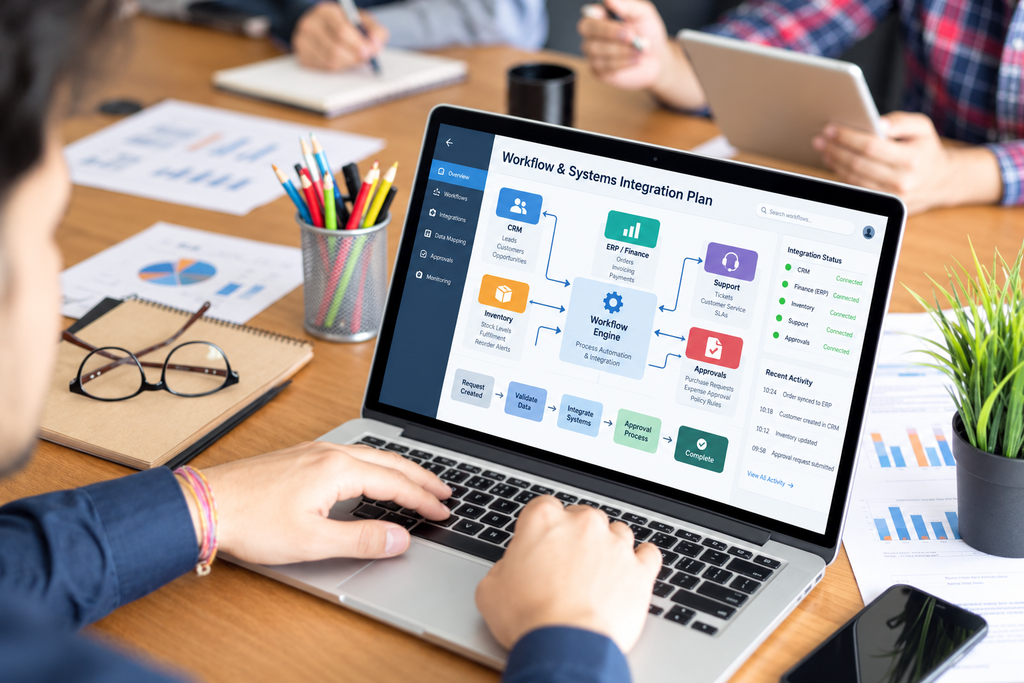
Several factors determine what an automation project will cost.
1. Process Complexity
A workflow with one rule is different from one with fifteen branches.
Cost usually increases with:
- Number of steps
- Number of approvals
- Number of user roles
- Exception scenarios
- Decision rules
- Human review points
For example:
Simple:
Form submitted → email notification.
More complex:
Form submitted → validation → duplicate check → CRM update → routing → approval → customer acknowledgement → escalation if unaccepted.
The second workflow requires more design, testing and support.
2. Systems and Integrations
Automation becomes more complex when several systems need to exchange information.
That may involve:
- CRM
- ERP
- Microsoft 365
- Accounting software
- Payment platforms
- Custom applications
- Legacy databases
If a platform has a reliable supported API or connector, implementation may be easier.
If it requires:
- Custom connectors
- Legacy integration
- Manual imports
- Restricted third-party access
the effort may increase.
Ask suppliers to state clearly which integrations are included.
3. Data Quality
Automation depends on usable data.
If the source contains:
- Duplicate customers
- Inconsistent names
- Missing IDs
- Conflicting formats
- Incomplete fields
the project may require cleanup before automation is reliable.
Poor data does not become accurate because a workflow moves it faster.
It becomes faster poor data.
Data preparation should therefore appear in the project scope where necessary.
4. Security and Permissions
Some workflows handle low-risk information.
Others may involve:
- Customer records
- Financial data
- Employee information
- Credentials
- Sensitive documents
Those workflows may require more work around:
- Permissions
- Role-based access
- Logging
- Approval controls
- Retention
- Audit trail
- Human review
The more consequential the workflow, the stronger the control requirements should be.
5. Platform Usage
Implementation cost and operating cost are not the same thing.
Ongoing costs may include:
- User licences
- Automation licences
- Connector licences
- API calls
- AI consumption
- Storage
- Messaging
- Document processing
- Execution volume
A workflow that runs 20 times per month may have a different cost profile from one that runs 100,000 times.
Ask for both:
One-time cost
and
Recurring cost
6. Adoption and Training
An automation that technically works but is ignored by staff is not a successful implementation.
Budget may need to cover:
- User training
- Operating procedures
- Testing
- Change support
- Process documentation
- User acceptance
This matters especially when automation changes how several departments work together.
7. Support and Maintenance
Automation requires ongoing ownership.
Ask what happens when:
- An integration changes
- A connector fails
- A business rule changes
- A user leaves
- A licence expires
- An API limit is reached
- A workflow starts producing errors
Ongoing support may include:
- Monitoring
- Incident recovery
- Maintenance
- Configuration changes
- Performance review
Do not price only the launch.
Price the operating life of the workflow.
Be Careful With Foreign-Currency Costs
Many automation platforms and cloud services may be billed in foreign currency.
That means budgeting should account for:
- Billing currency
- Quote validity
- Payment assumptions
- Taxes
- Usage changes
- Supplier terms
This article does not provide current exchange-rate, tax or licence-price advice.
Request dated commercial terms from the supplier and have the finance team review them before approval.
Compare Quotes on Equal Scope
Two automation quotes are not comparable if one includes implementation, training and support while the other includes only software configuration.
Ask each supplier to separate:
One-Time Implementation
For example:
- Discovery
- Design
- Build
- Integration
- Testing
- Migration
- Training
Recurring Tools and Usage
For example:
- Licences
- API consumption
- AI usage
- Messaging
- Storage
Support
For example:
- Monitoring
- Maintenance
- User support
- Incident recovery
Optional Work
For example:
- Additional integrations
- New workflow branches
- Advanced reporting
- Further training
This makes comparison much more defensible.
Confirm Ownership Before You Sign
Ask:
- Who owns the configuration?
- Who owns the data?
- Who owns the credentials?
- Will documentation be handed over?
- Can the business export its information?
- What happens if the supplier relationship ends?
These details matter later, usually at the exact moment someone wishes they had asked them earlier.
Require Acceptance Tests
A workflow should not be considered complete simply because it ran successfully once.
Define acceptance scenarios.
For example:
Normal case
Does the workflow complete as expected?
Missing data
Does it stop safely?
Integration failure
Does someone see the exception?
Duplicate record
Does the workflow avoid creating another one?
Human override
Can an authorised user intervene?
That gives the business evidence that the process works beyond a polished demonstration.
Do Not Assume Every Microsoft 365 Capability Is Included
Microsoft 365 may already provide useful automation building blocks, depending on the organisation’s licences and environment.
But do not assume every Power Automate capability, connector or usage scenario is automatically included.
Licensing can depend on:
- Connector type
- Workflow design
- Automation requirements
- User entitlement
- Platform usage
Current Microsoft terms should be checked directly for the specific workflow before commercial approval.
An Illustrative Naira Business Case
The following is a hypothetical example.
It is not a TechBots package price and not a reported result from a Nigerian business.
Suppose one administrative task:
- Runs 200 times per month
- Takes 15 minutes manually
- Would still require 5 minutes after automation
- Achieves 80% adoption
- Requires 2 additional oversight hours per month
- Uses a loaded labour cost of ₦4,000 per hour
- Has a recurring automation cost of ₦40,000 per month
- Has a one-time implementation cost of ₦400,000
The time released per completed automated task is:
15 minutes − 5 minutes = 10 minutes
At 80% adoption:
200 × 80% = 160 automated transactions
Monthly gross time released:
160 × 10 minutes ÷ 60 = 26.67 hours
Subtract two hours of oversight:
26.67 − 2 = 24.67 hours per month
At ₦4,000 per loaded hour:
24.67 × ₦4,000 ≈ ₦98,667 monthly capacity value
Subtract the recurring automation cost:
₦98,667 − ₦40,000 ≈ ₦58,667 monthly net capacity value
Illustrative Capacity-Based Payback
Using the assumptions above:
₦400,000 ÷ ₦58,667 ≈ 6.8 months
The steady-state capacity-based payback would therefore be approximately:
6.8 months
Illustrative First-Year ROI
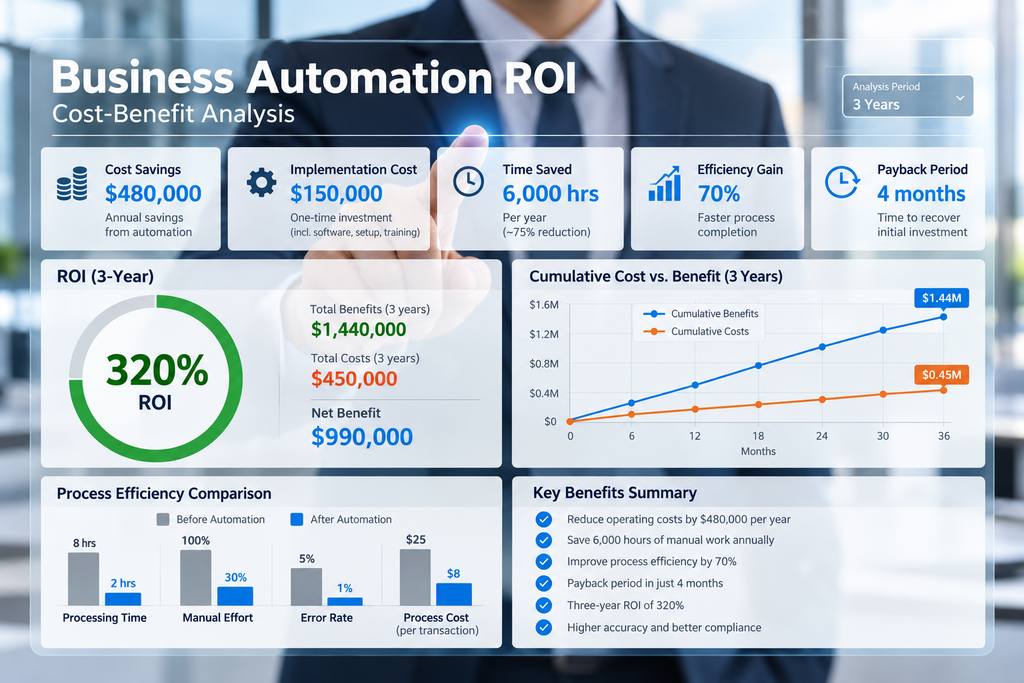
Using twelve months of steady-state net capacity value:
₦58,667 × 12 ≈ ₦704,004
Subtract the ₦400,000 implementation cost:
₦704,004 − ₦400,000 ≈ ₦304,004
Then:
₦304,004 ÷ ₦400,000 × 100 ≈ 76%
This is a simplified steady-state illustration before ramp-up effects and any costs excluded from the assumptions.
The exact result changes when assumptions change.
Capacity Value Is Not Automatically Cash Savings
This distinction matters.
If automation releases 24.67 employee hours each month but nobody’s employment cost is actually reduced, the business has not necessarily created ₦98,667 of cash savings.
It has created capacity.
That time may now be available for:
- Customer service
- Analysis
- Delivery
- Sales
- Quality control
- Other operational work
The business should decide what it will do with that released capacity.
Otherwise the theoretical value may never become operational value.
Build the Business Case Around the Right Benefit
Automation can create value through several routes.
Labour capacity
Staff spend less time on repetitive work.
Faster processing
Tasks move through the workflow sooner.
Fewer errors
Manual re-entry or omission decreases.
Better visibility
Managers can see status and exceptions more clearly.
Better customer experience
Requests move more consistently.
Control improvement
Approvals and audit evidence become easier to manage.
Not every project should be justified only by headcount reduction.
Start With the Most Defensible Task
Good first automation candidates are usually:
Frequent
They happen repeatedly.
Measurable
The current effort can be estimated.
Stable
The rules do not change every day.
Owned
Someone is responsible for the outcome.
Examples of Good Starting Points
Document preparation
Automation can extract approved fields and prepare a draft for checking.
A person verifies the result.
Enquiry routing
Automation can identify the category and assign the request to an owner.
A person accepts responsibility.
Reporting preparation
Automation can collect approved figures into a working report.
A manager reviews the interpretation.
Approval workflows
Automation can route a request through defined approvers and record the decision.
Exceptions still need ownership.
Do Not Automate Consequential Decisions Blindly
Automation should not:
- Invent facts
- Bypass permissions
- Approve sensitive exceptions without authority
- Make unsupported financial decisions
- Create contractual commitments without review
The more significant the consequence, the stronger the need for human oversight.
Use a Pilot Before Expanding

Start small.
Choose one workflow.
Then test:
- Accuracy
- Adoption
- Exceptions
- Total cost
- Support burden
- User experience
Compare the result with the original business case.
Expand only when the evidence supports it.
What a Good Automation Proposal Should Show
Before approving a project, ask for:
- Process scope
- Current-state workflow
- Proposed workflow
- Systems involved
- Data required
- Security controls
- Human approval points
- Exception handling
- One-time cost
- Recurring cost
- Assumptions
- Acceptance tests
- Support model
- Handover plan
That makes the commercial decision much easier.
So, How Much Does Business Automation Cost in Nigeria?
The responsible answer is:
It depends on the workflow.
A simple internal process may require limited configuration.
A multi-system, AI-assisted workflow with sensitive data, integrations, exception handling and managed support will require more.
The useful approach is not to ask for an arbitrary fixed price first.
Define:
The process.
The problem.
The systems.
The risk.
The operating volume.
The expected business value.
Then request a scoped price.
Discuss an Automation Opportunity With TechBots
If you want to examine one repetitive workflow before choosing tools, book an initial automation discussion with TechBots:
Or call/WhatsApp:
09169337821
Human support: Monday–Friday, 9:00 a.m.–6:00 p.m. GMT+1.